How do I select my vehicle on Hubshop?

Part identification and search by vehicle
Welcome to Hubshop, the go-to site for all your performance parts.
Here you'll find all the biggest brands to tune, customize and upgrade your vehicle, such as RacingLine, APR, Sachs Performance, Dynaparts, and 034Motorsport.
Now that you know what tuning you're going to do on your vehicle and you're looking for the related parts, here is a guide explaining how to select your vehicle and identify the parts that fit it:
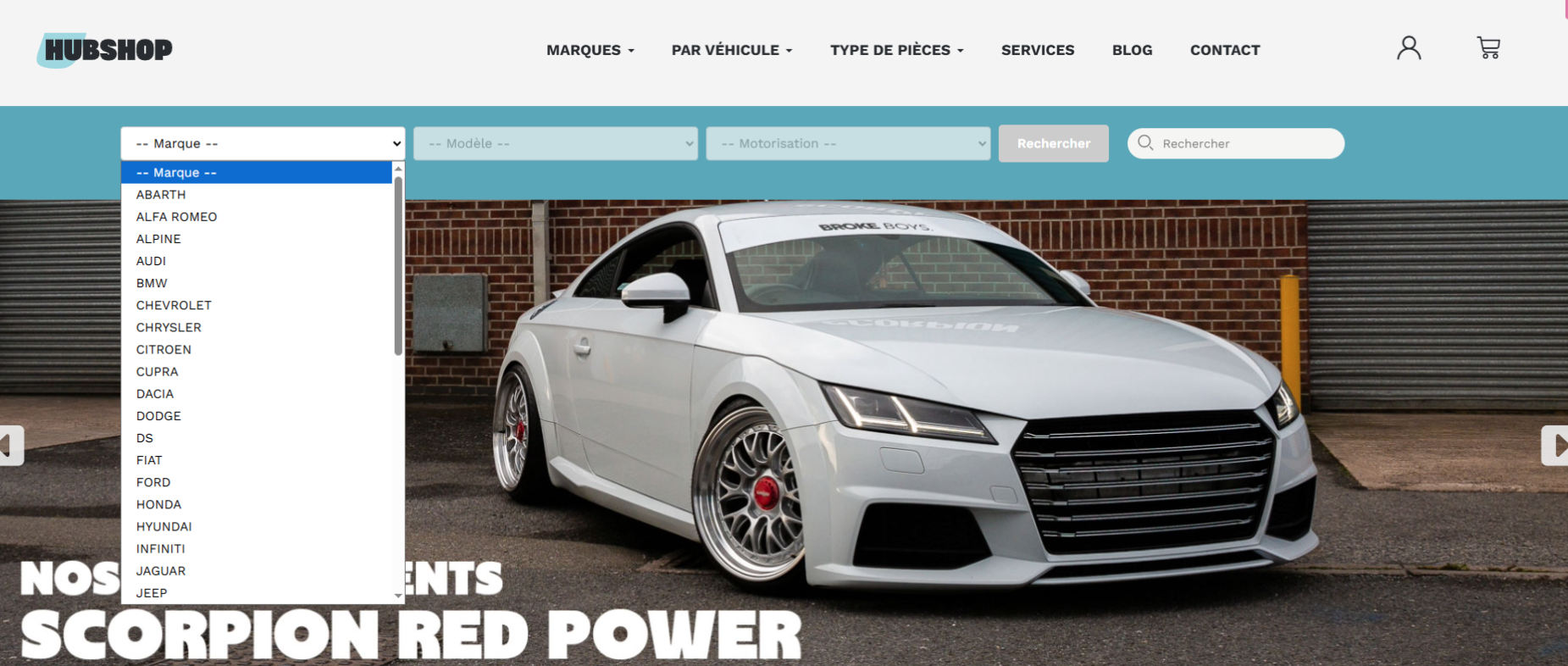
1/ Selecting the make
On the Hubshop home page, you can select your vehicle's make from more than forty available options. Let's take Volkswagen as an example.
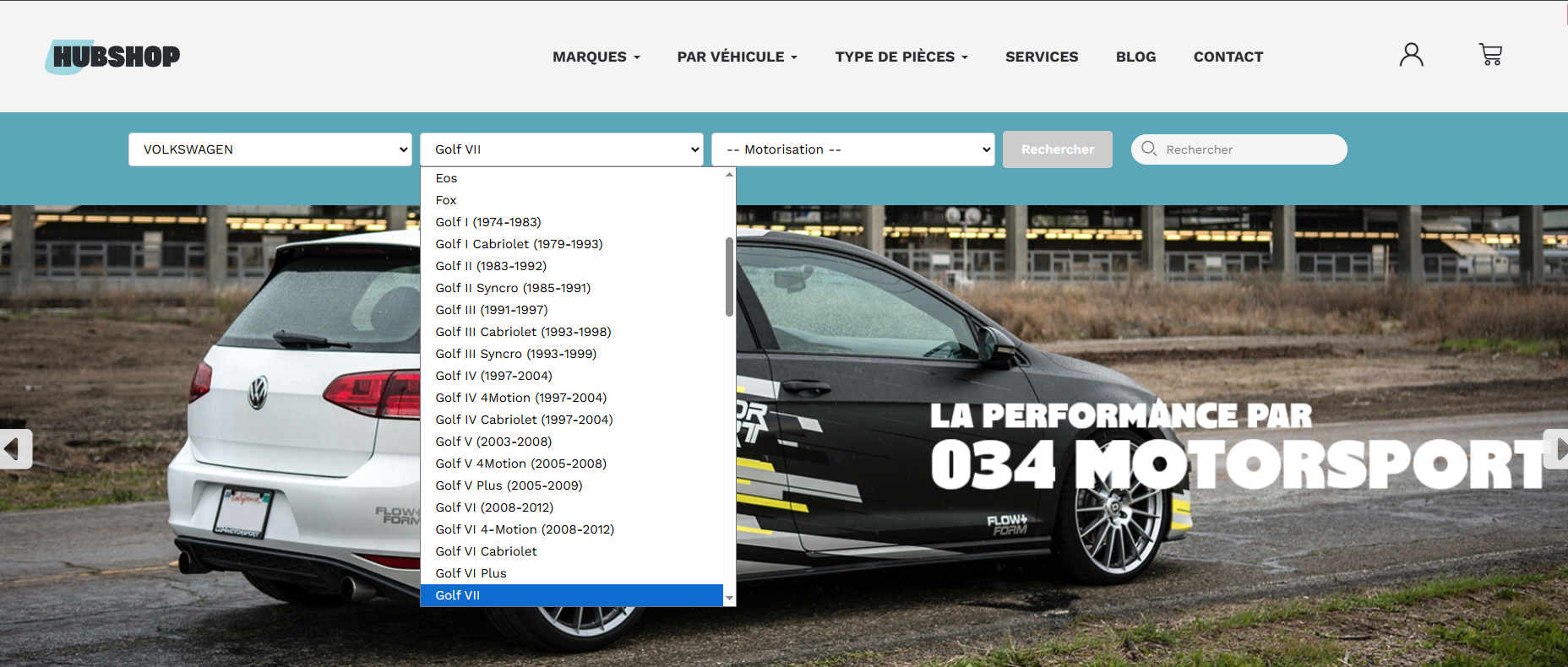
2/ Selecting the model
Once the make is selected, the models for that make are listed in the second tab, "Models". Here, we'll select the Golf 7.
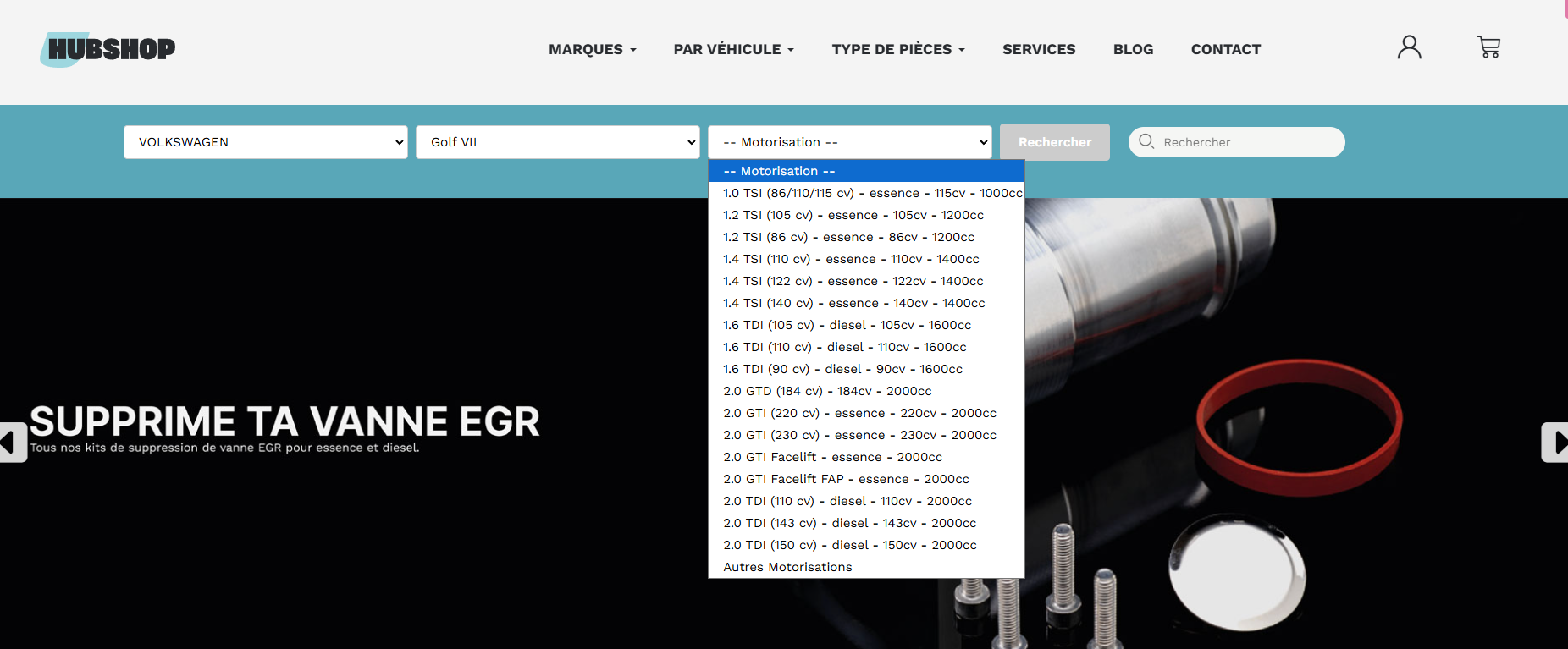
3/ Selecting the engine
Finally, as soon as you've chosen your vehicle's model, the engines associated with that vehicle are displayed. Here, for example, these are the known and listed engines for the Golf 7. Now let's select the GTi.
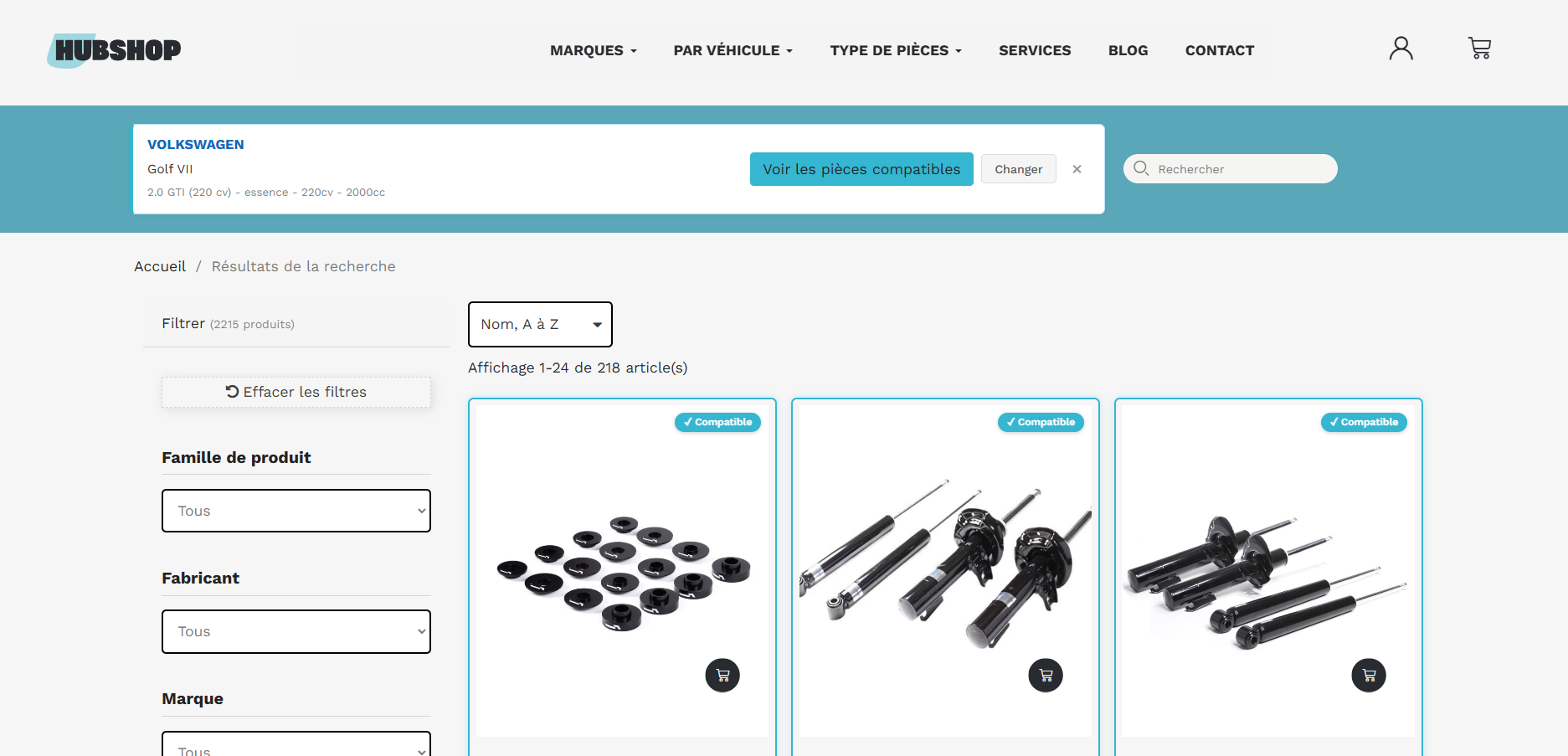
4/ Displaying the parts
Once the Make, Model and Engine have been selected, the parts that fit your vehicle are displayed. All that's left is to identify the part or parts you want and click on them for more information.
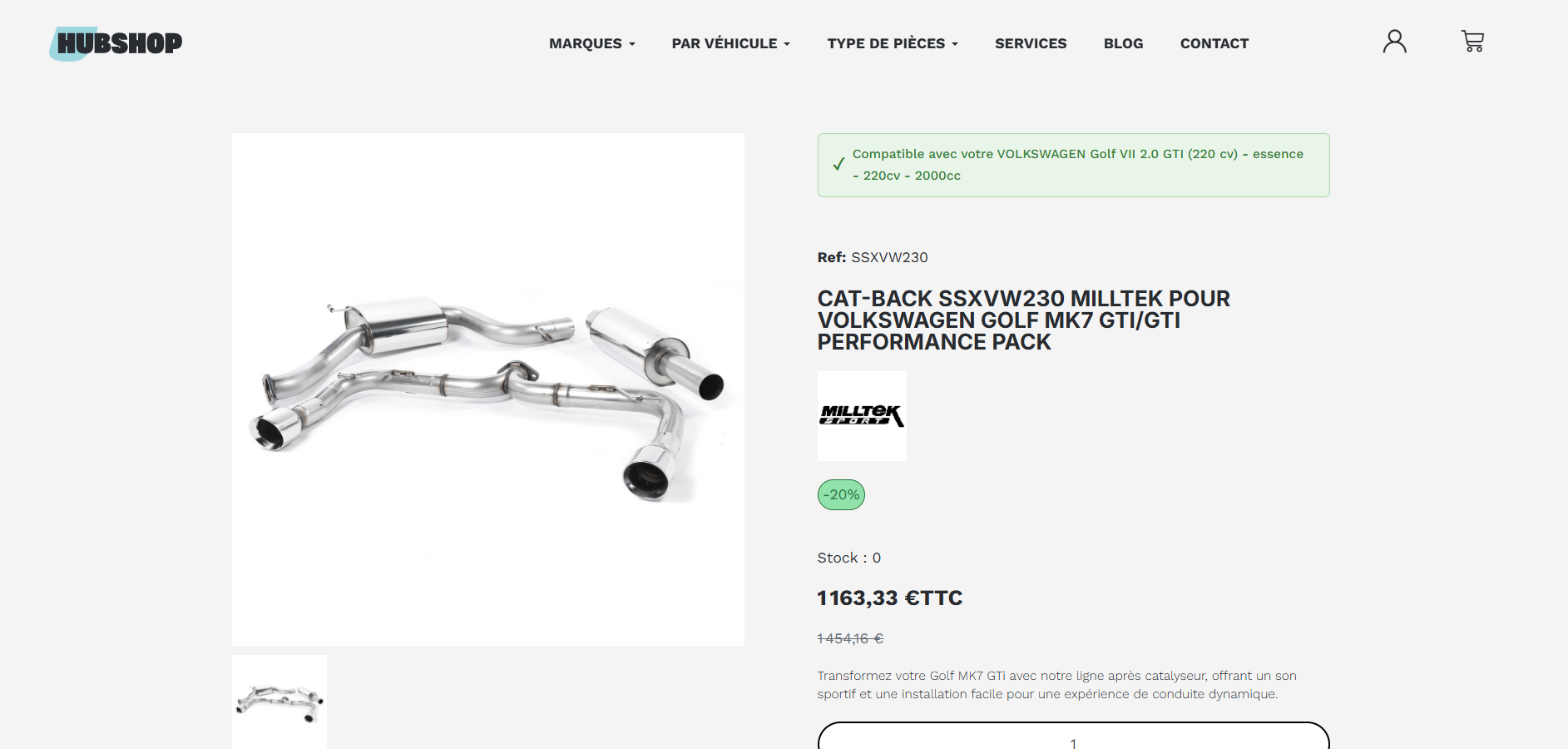
5/ Reminder on product pages
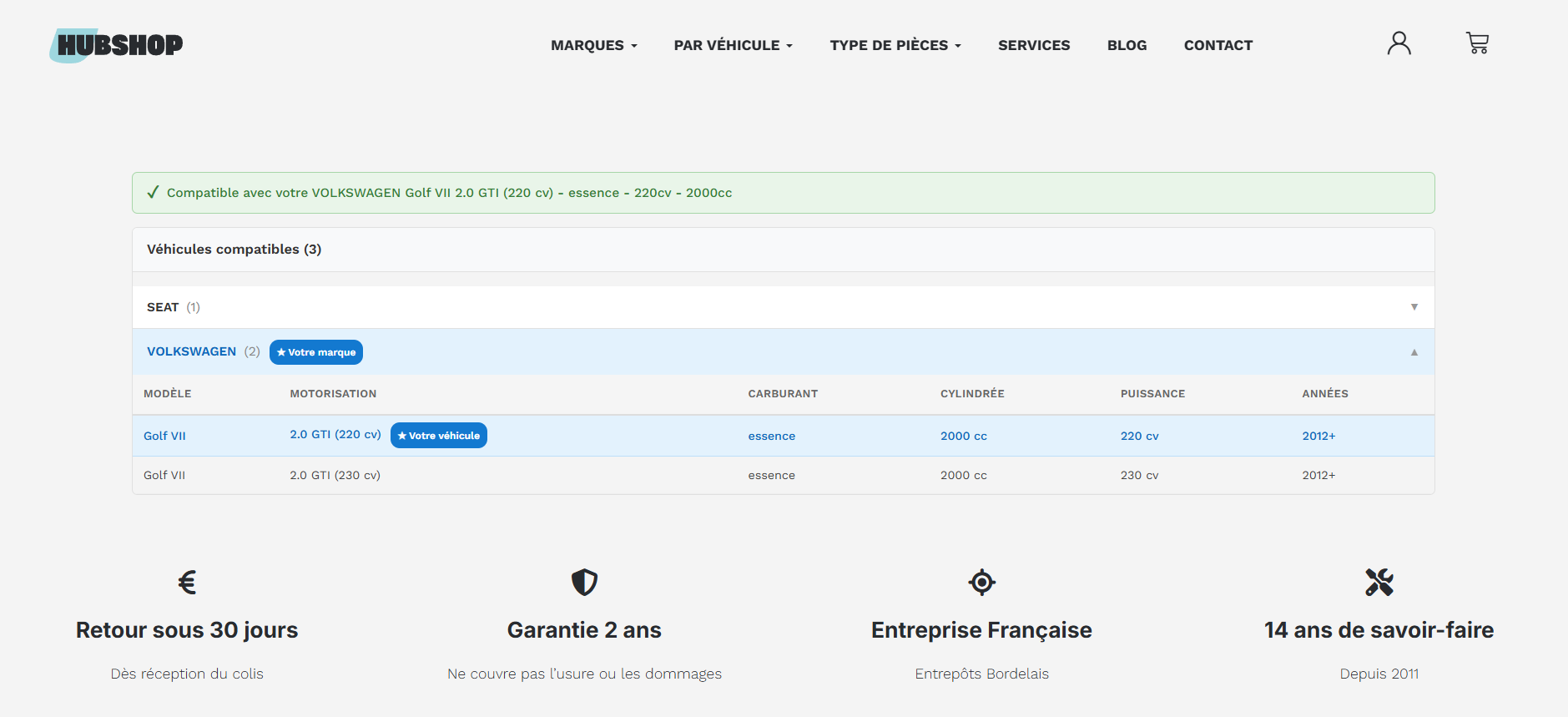
Once on the product page, you'll see a reminder of the part's fitment in the title (when possible), above the part number, and finally in the drop-down compatibility section at the bottom of the product page.
All that's left is to head over to Hubshop.fr and start tuning your vehicle!
Share this content